
Pathways
Job-ready skills for adults: digital basics, AI at work, IT support and getting the job.
- Adults (18+)Who it’s for
- 16 weeksAbout 4 hours a week
- NoneComputer experience needed
- FreeWith a free place
Start with the digital basics.
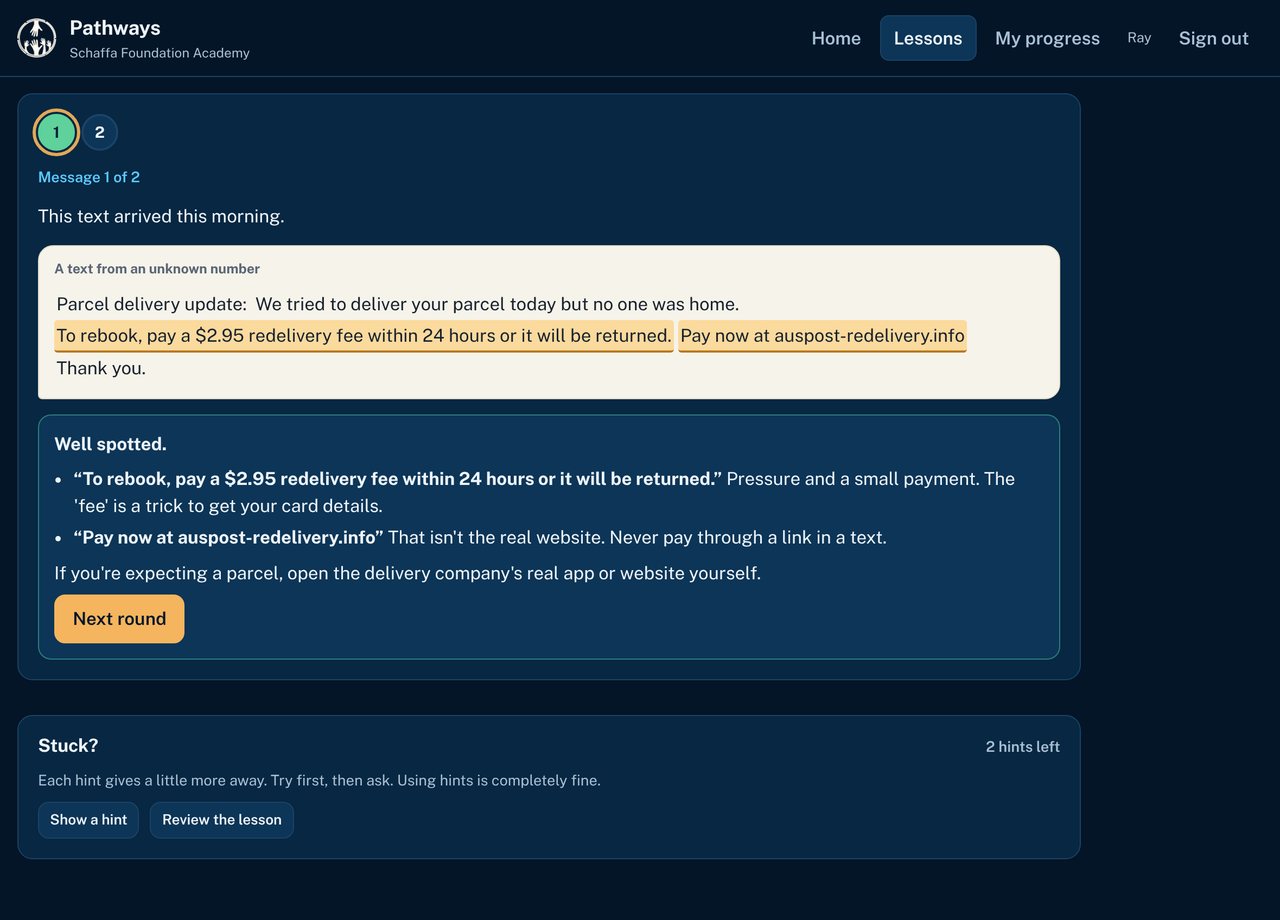
Pathways starts where people are: on a phone. Learners sort out their accounts and passwords, learn to spot scam texts, emails and fake job ads, use myGov and job sites, and write a clear email to an employer.
Every lesson ends with practice on realistic messages, inside the Academy. It's free, it works on any phone, and every screen can be read aloud.
Four parts over 16 weeks
Digital basics first, then using AI at work, then IT support skills, then getting the job. Part 1 is open now, and AI at Work is available as its own short course. About 4 hours a week.
-
Digital BasicsWeeks 1–3
Your phone, email and accounts, staying safe from scams, myGov, job sites, and emailing an employer.
-
AI at WorkWeeks 4–6, open now as a short course
Using AI assistants well, safely and honestly. Available now as the AI at Work short course.
-
IT SupportWeeks 7–12, in development
How to troubleshoot, Windows and Microsoft 365 accounts, networks and printers, help desk tickets and customer service.
-
Job ReadyWeeks 13–16, in development
Your résumé, cover letters, interview practice and a portfolio of solved tickets.
Digital Basics, week by week
12 lessons. Each one has a lesson, a quick check and a practice task.
Week 1
- Your Phone, Your WayThe basics that matter
- Email That WorksEmail, the useful parts
- Passwords That Protect YouPassphrases and two-step sign-in
- Your Accounts, SortedKnow your accounts
Week 2
- Spot the Scam TextThe signs of a scam message
- Spot the Fake EmailReading an email like a detective
- If Something Feels WrongWhat to do, step by step
- Safe in Public, Smart on SocialPublic Wi-Fi and what you share
Week 3
- myGov Without the StressWhat myGov is and how it works
- Reading Job AdsFinding and reading job ads
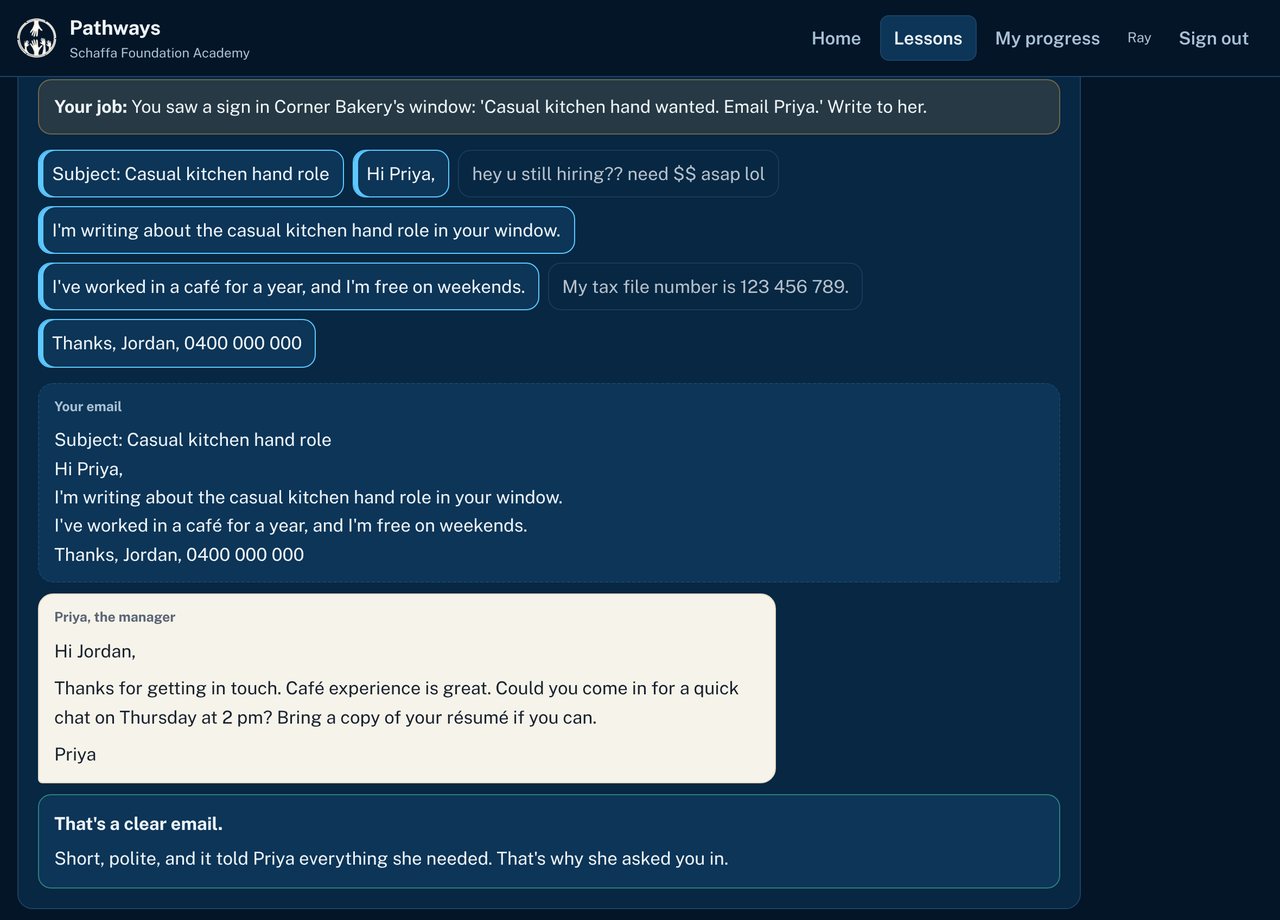
- Email an EmployerA clear, polite email
- Challenge: A Busy InboxPutting Digital Basics together
Made for adults getting back into work
- Plain English, short lessons, and a Read aloud button on every screen
- Works on a phone. Sign in with a username, no email needed
- Practice on real-looking scam texts, job ads and emails
- Built with community services in mind: staff can set people up and text them a sign-in link
What learners can do by the end of Part 1
Every lesson records the outcomes it gives evidence for, and learners can see their own record of learning. A certificate comes when the whole course is finished. It's a short course, not a nationally recognised qualification.
PW-01Uses a phone or computer with confidence: apps, settings, updates, Wi-Fi and emailPW-02Creates and manages accounts safely, with strong passphrases and two-step verificationPW-03Recognises scams in texts, emails and job ads, and knows what to do and where to report themPW-04Uses government and job websites, such as myGov and job sites, to get things donePW-05Writes clear, polite emails to employers and services
Ready to start?
Tell us a little about yourself and we'll be in touch about a free place. Community services and training providers can ask us about running Pathways for their clients.