
Code Quest
Learn to code from your very first line, on a space station that needs fixing.
- 12 to 15Ages
- 20 weeksAbout 5 hours a week
- NoneCoding experience needed
- FreeFor families with a free place
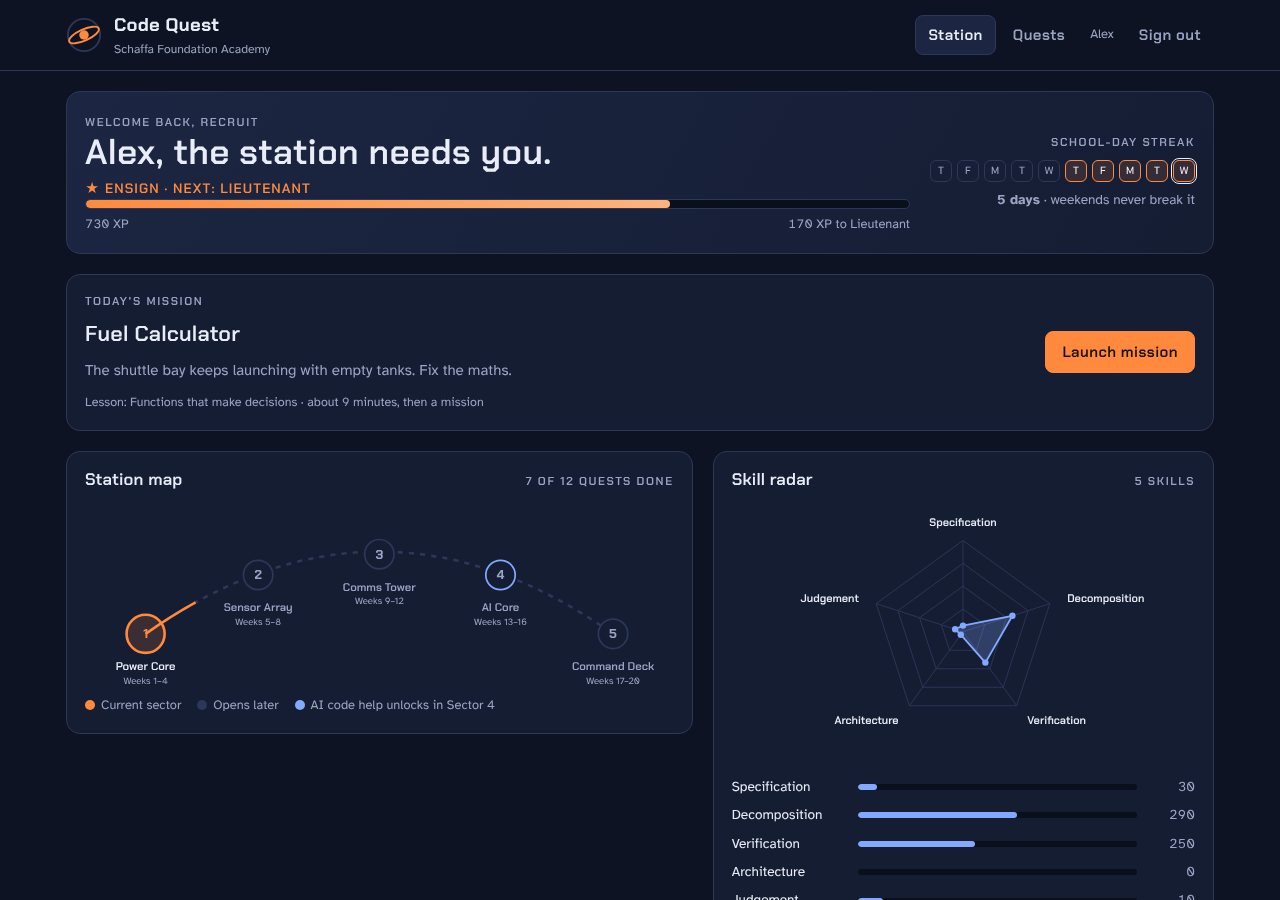
A space station that needs fixing.
Each quest repairs part of Orbital Station HS-1. Learners earn ranks, keep a school-day streak that weekends never break, and see five skills grow on their skills chart.
Python runs in the browser, so it works on an older laptop or a Chromebook.
Five sectors over 20 weeks
Learners write all their code by hand for the first 12 weeks. You can't check code you can't read. From week 13 they learn to work with AI and to catch its mistakes.
-
Power CoreWeeks 1–4
Python by hand: printing, maths, variables, loops, decisions, functions, lists, dictionaries and text.
-
Sensor ArrayWeeks 5–8
Reading and checking code: predicting what it does, finding bugs, and writing tests.
-
Comms TowerWeeks 9–12
Websites with HTML, CSS and JavaScript, and how the internet works. Ends with your own site going live.
-
AI CoreWeeks 13–16
Working safely with AI: write a clear spec, let AI draft code, then test and fix it.
-
Command DeckWeeks 17–20
A project of your own, built with AI as a helper, and a write-up of what you caught it getting wrong.
Power Core, week by week
12 quests. Each one has a lesson, a quick check and a challenge.
Week 1
- First WordsYour first program: print()
- Oxygen MathsNumbers and maths
- Crew BadgeVariables: giving values a name
Week 2
- Boot SequenceLoops: doing something again and again
- Door SensorDecisions: if, elif and else
- Signal BoosterWhile loops: repeat until something changes
Week 3
- Crew RosterLists, sets and your first function
- Fuel CalculatorFunctions that make decisions
- Cargo ManifestDictionaries: looking things up by name
Week 4
- Comms LogWorking with text
- Airlock CodeChecking input you can't trust
- Boss: Rogue SensorFiltering a list
Sensor Array, week by week
12 quests. Each one has a lesson, a quick check and a challenge.
Week 5
- Signal TraceTracing code by hand
- Error DecoderReading error messages
- Hand-me-down CodeChanging code someone else wrote
Week 6
- Off by OneOff-by-one errors
- Wrong TurnBugs in conditions
- Print DetectiveDebugging with print()
Week 7
- First ChecksWriting your own checks
- Edge PatrolEdge cases
- Test FirstSpec first, then code
Week 8
- Clean SweepDon't repeat yourself
- Review BoardTests decide, not opinions
- Boss: Ghost in the SensorsDebugging like a pro
Comms Tower, week by week
12 quests. Each one has a lesson, a quick check and a challenge.
Week 9
- Hello, InternetHow a web page reaches you
- Signal MapLists and links
- Crew ProfilesStructure and accessibility
Week 10
- Paint the TowerStyling with CSS
- Box ModelBoxes: padding, border and margin
- Crew GridLaying things out with flexbox
Week 11
- First ScriptJavaScript: making pages do things
- Signal CounterVariables, functions and decisions in JavaScript
- Safe MessagesTaking input safely
Week 12
- Data FeedLists of data in JavaScript
- Launch ChecklistHow sites go live
- Boss: Launch DayPutting it all together
AI Core, week by week
12 quests. Each one has a lesson, a quick check and a challenge.
Week 13
- Meet the Station AIWhat AI code helpers really do
- Say Exactly What You MeanA prompt is a spec
- Made-up FunctionsHallucinations
Week 14
- Catch the AITests that catch AI mistakes
- Fix the DraftHandling bad input with try and except
- Too CleverCode people can read
Week 15
- Keep Secrets SecretNever feed an AI your secrets
- Trust No InputNever trust input
- Credit Where It's DueHonesty about AI help
Week 16
- Pair ProgrammingSmall requests, checked as you go
- Three AI DraftsBoundaries and every condition
- Boss: Rogue AIReviewing AI code like a pro
Command Deck, week by week
12 quests. Each one has a lesson, a quick check and a challenge.
Week 17
- Pick Your MissionChoosing a project you'll finish
- Break It DownFunctions and data, before code
- First FeatureBuild one feature and prove it
Week 18
- Feature TwoFunctions that use functions
- Ask for Help WellAsking an AI helper, or a person, well
- Handle the Weird StuffEdge cases in your own program
Week 19
- Make It FriendlyThe part people actually use
- Code ReviewReviewing your own code
- User TestWatching someone use your program
Week 20
- Final BuildFinishing properly
- The Write-upWriting about your work
- Boss: Command DeckLaunch day
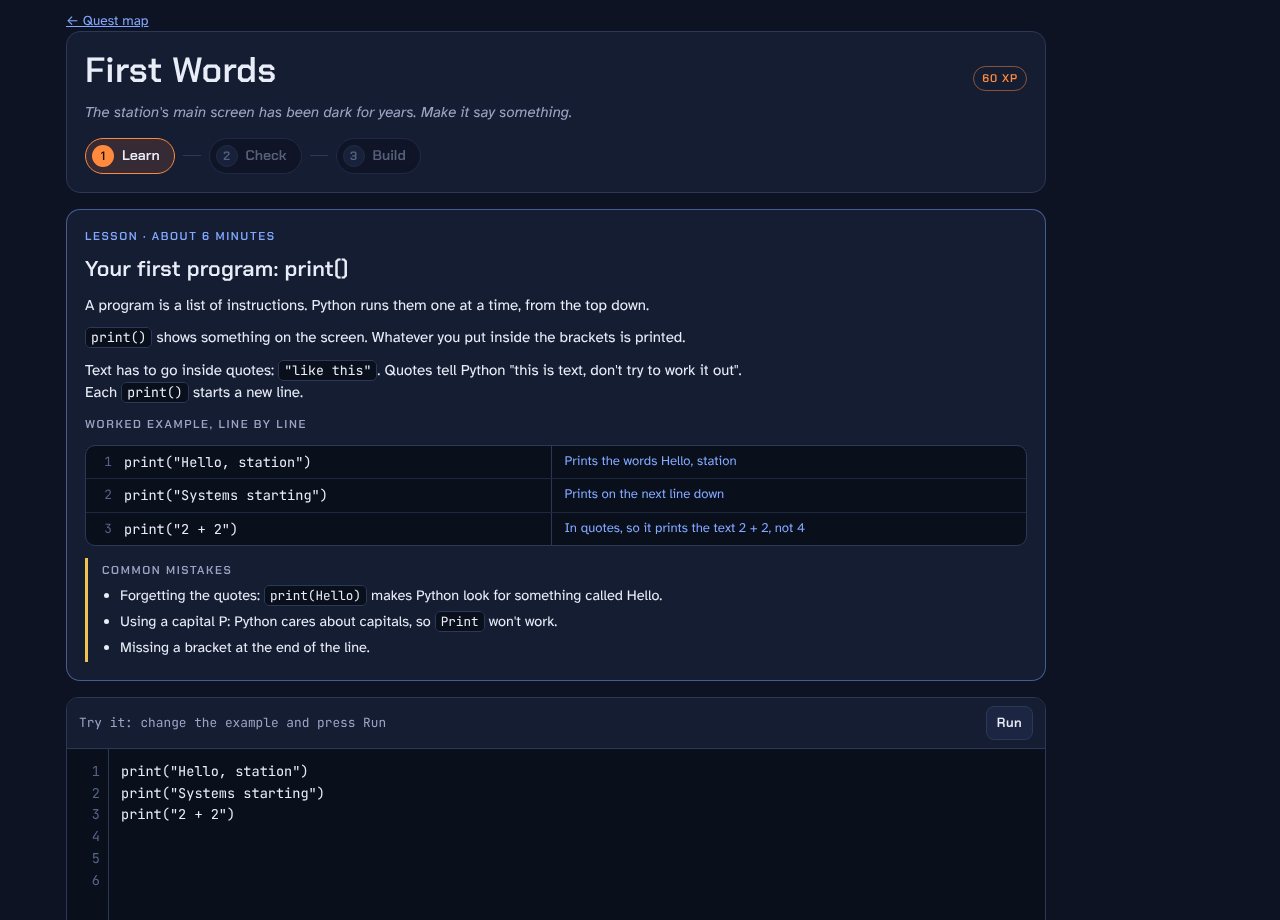
Lessons written for beginners
- Plain English, with every line of the example explained
- A list of common mistakes before the challenge starts
- Error messages translated into what to try next
- Up to three hints per quest, each giving a little more away
Matched to the NSW syllabus
Every quest records the outcomes it covers from NSW Computing Technology 7 to 10, Stage 5. Parents can print a record of learning, organised by outcome, for home-schooling registration.
CT5-OPL-01Designs, produces and evaluates algorithms and implements them in a general-purpose and/or object-oriented programming languageCT5-DPM-01Applies iterative processes to define problems and plan, design, develop and evaluate computing solutionsCT5-SAF-01Selects and applies safe, secure and responsible practices in the ethical use of data and computing technologyCT5-COM-01Communicates ideas, processes and solutions using appropriate mediaCT5-COL-01Manages, documents and explains individual and collaborative work practicesCT5-DAT-01Explains how data is stored, transmitted and secured in digital systems and how information is communicated in a range of contextsCT5-EVL-01Understands how innovation, enterprise and automation have inspired the evolution of computing technology
Ready to start?
Tell us about your family and we'll be in touch about a free place. If you're a training provider, ask us about licensing.